
Tap, Pay and Go: A New Way to Make Payments with Your Physical Card
Discover how physical card payments make everyday transactions more convenient, how tap-to-pay works, and what to know about using your YangaPlug Physical Card.
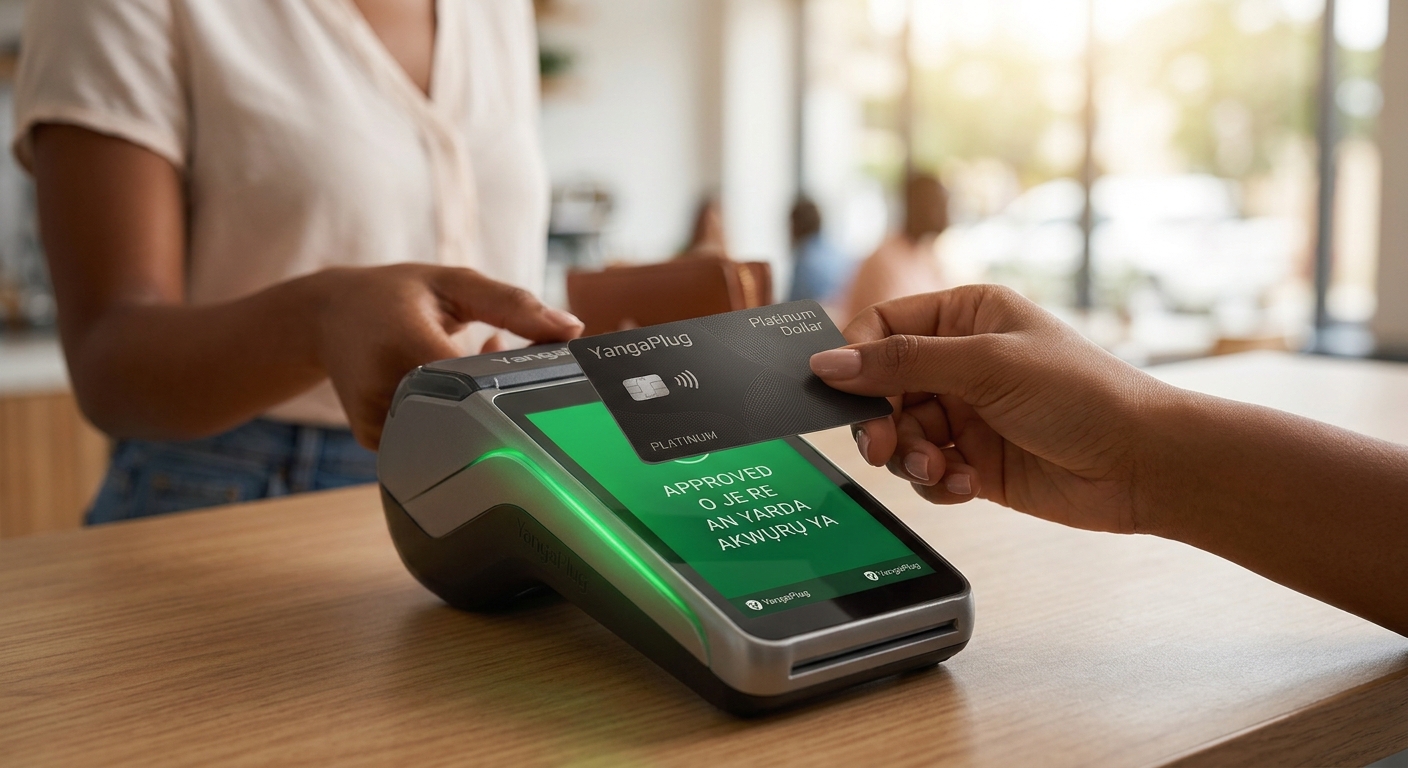
Imagine you're at your favourite café, checking out at a store or paying for something while travelling. You get to the counter, reach for your wallet, tap your card on the payment terminal and continue with your day.
No need to open an app just to make the payment. No need to depend on your phone for every transaction. Just a convenient way to pay wherever your card is accepted.
That is the convenience physical payment cards can offer.
As digital payments continue to evolve, physical cards remain a practical option for people who want flexibility in how they pay. Whether you're shopping locally, dining out or travelling, having a physical card gives you another way to complete eligible transactions.
With the YangaPlug Physical Card, you can take your payment experience beyond your screen. Here's what you need to know about physical card payments, how tap-to-pay works and why having a physical card can be useful in your everyday life.
What Is a Physical Payment Card?
A physical payment card is a card you can carry in your wallet and use to make payments at compatible payment terminals.
Unlike a virtual card, which exists digitally and is primarily used for online transactions, a physical card can be presented at a physical point of sale (POS) terminal when making an in-person payment.
Depending on its features, network and issuing terms, a physical card may also support contactless payments and ATM cash withdrawals.
This means you have more options when making payments. You can use a virtual card for eligible online purchases and a physical card for supported in-person transactions.
What Does Tap, Pay and Go Mean?
Tap, pay and go refers to the convenience of making a contactless payment by bringing a compatible card close to a contactless-enabled payment terminal.
Instead of inserting your card or swiping it, you simply hold it near the terminal's contactless symbol when prompted. The terminal reads the card's contactless chip and processes the transaction.
According to Master Card, a contactless payment typically takes just a second or two at the terminal, although the full transaction time depends on the payment system and merchant. .
The result is a straightforward checkout experience that can make everyday purchases more convenient.
However, contactless payments require both a contactless-enabled card and a compatible payment terminal. Some transactions may also require a PIN or other verification.
How Does Tap-to-Pay Work?
Contactless payments use short-range wireless technology to communicate between a compatible card and a payment terminal.
Here's how the process generally works:
Step 1: Check the payment terminal.
Look for the contactless payment symbol on the merchant's POS terminal. The terminal must support contactless transactions.
Step 2: Wait for the payment prompt.
Let the cashier initiate the transaction or follow the terminal's instructions.
Step 3: Tap your card.
Hold your contactless-enabled card close to the designated area of the terminal for a moment.
Step 4: Wait for confirmation.
The terminal will indicate whether the payment was approved or if another action is required.
That's it. If the transaction is approved, you can collect your purchase and continue with your day.
Keep in mind that the precise process, verification requirements and transaction limits may vary depending on the card issuer, payment network and merchant.
Why Use a Physical Card for Everyday Payments?
Physical cards can be useful in more situations than you might think. Here are some reasons to consider having one.
1. Convenience at Checkout
When you're shopping, eating out or making an in-person purchase, a physical card gives you a payment option that doesn't require you to navigate your phone.
If your card supports contactless payments, you can complete eligible transactions with a simple tap at a compatible terminal.
2. More Flexibility in How You Pay
Your payment needs can change throughout the day. You might pay for a subscription online in the morning, shop at a physical store in the afternoon and need cash later.
A combination of virtual and physical cards can help you handle different payment situations, depending on the features available on each card.
3. A Useful Option When Travelling
Travelling often involves several types of expenses, including meals, shopping and other purchases.
A physical card can be useful when paying at supported merchants in your destination. Before travelling, check that your card supports the country and currency you need, and review any applicable transaction fees.
It is also sensible to carry a backup payment method in case a merchant doesn't accept your card.
4. Access to Cash Where Supported
Some physical payment cards support ATM withdrawals, giving you another way to access cash when necessary.
Before using an ATM, check your card's withdrawal functionality, limits and applicable fees. ATM availability and acceptance may vary by location and network.
5. Less Dependence on Your Phone for Payments
Your phone is useful, but it may not always be the most convenient way to pay.
A physical card gives you another option when your battery is low, you prefer not to use your phone at checkout or you simply want to keep your payment process straightforward.
Meet the YangaPlug Physical Card
YangaPlug's physical card offering is designed to give users another way to make payments beyond virtual card transactions.
We offer two physical card options:
Standard Naira Card: A Naira-denominated option for eligible local-currency spending.
Platinum Dollar Card: A Dollar-denominated option intended for eligible foreign-currency transactions.
Both options give users a physical payment card to carry and use for supported transactions, subject to the relevant card terms and acceptance requirements.
YangaPlug has also announced tap-to-pay functionality and ATM withdrawals as part of its physical card offering. Before using these features, check the current card information and instructions provided in the app.
Whether you're looking for a physical card for everyday local spending or eligible international transactions, the right option depends on your payment needs.
Is Tap-to-Pay Safe?
Contactless payments are designed with security measures that help protect payment transactions. However, like any payment method, they require sensible precautions.
Here are a few ways to use your physical card more safely:
Keep your card in a secure place when you're not using it.
Never share your PIN with anyone.
Check your transaction notifications and account activity regularly.
Keep your card details private.
Contact official support promptly if your card is lost, stolen or used without your permission.
Follow your card issuer's instructions for blocking or freezing your card if those features are available.
Remember that contactless functionality does not mean every transaction is automatically approved. Payment authorisation, verification requirements and limits still apply.
How to Get Your YangaPlug Physical Card
If you'd like to explore the YangaPlug Physical Card, you can get started through the app.
Open the YangaPlug app and sign in to your account.
Go to the card section to explore the available card options.
Choose your preferred card based on your spending needs.
Review the details, including the card price, applicable fees and available ordering or delivery options.
Follow the instructions to complete your order.
You can also visit the YangaPlug Cards page for more information.
Check the latest details in the app before placing your order, as fees, availability and fulfilment arrangements may change.
Frequently Asked Questions
Do I need a special card to tap and pay?
Yes. The card must support contactless payments, and the merchant's payment terminal must also be contactless-enabled.
Can I tap my card at every POS terminal?
No. You can tap your card only at compatible terminals that support contactless payments. Other terminals may require you to insert the card or use another accepted payment method.
Can I use my physical card for online payments?
That depends on the card's capabilities and the merchant's payment requirements. Check your card details and issuing terms to confirm which transactions are supported.
Can I withdraw cash with a physical card?
Some physical cards support ATM withdrawals. Check your specific card's features, limits and applicable charges before making a withdrawal.
What is the difference between the YangaPlug Standard Naira Card and Platinum Dollar Card?
The Standard Naira Card is intended for eligible Naira-denominated transactions, while the Platinum Dollar Card is designed for eligible Dollar-denominated spending. Review the current product terms to understand the supported uses of each card.
How do I know whether my YangaPlug card supports tap-to-pay?
Check the card's features and look for the contactless symbol on the card. You can also confirm the feature through YangaPlug's official product information or support team.
Tap Into a More Convenient Way to Pay
Payments are part of everyday life, from buying lunch and shopping to preparing for your next trip. Having the right payment options can make those everyday moments easier to manage.
A physical card gives you another way to pay at compatible terminals, while contactless technology can make eligible checkout transactions quicker and more convenient.
With the YangaPlug Standard Naira Card and Platinum Dollar Card, you can explore a physical payment option that suits your spending needs.